How to Stay Private Online in 2026: A Practical 7-Step Guide

Editorial disclosure: We independently research, test, and rate the products we recommend using our own rating methodology. If you buy through our links, we may earn a commission — at no extra cost to you. Read our rating methodology and how we make money.
Online privacy in 2026 isn't about going off the grid — it's about closing the handful of gaps where your data actually leaks. Advertisers, data brokers, your ISP, and the occasional hacker all want a piece of your digital life, and each one exploits a different weakness. The good news: a short, practical checklist closes most of them. Here are the seven steps that matter most, in the order we'd do them.
Independently tested
We compared the tools and habits that actually move the needle on privacy
No pay-for-placement
Rankings are never sold
Reviewed by an expert
Jay Dabhi, Cybersecurity Analyst & Co-Founder
Updated July 2026
Prices & picks re-checked
1. Use a no-log VPN on untrusted networks
Every time you connect to café, airport, or hotel Wi-Fi, you're trusting a network you don't control. A VPN encrypts your traffic so nobody on that network — or your ISP — can see what you're doing, and hides your real IP address from the sites you visit.
The key word is no-log: a VPN sees all your traffic, so you want one whose privacy claims are verifiable, not just marketed. We rank the options in our best no-log VPNs guide, but the short version is our top pick below.
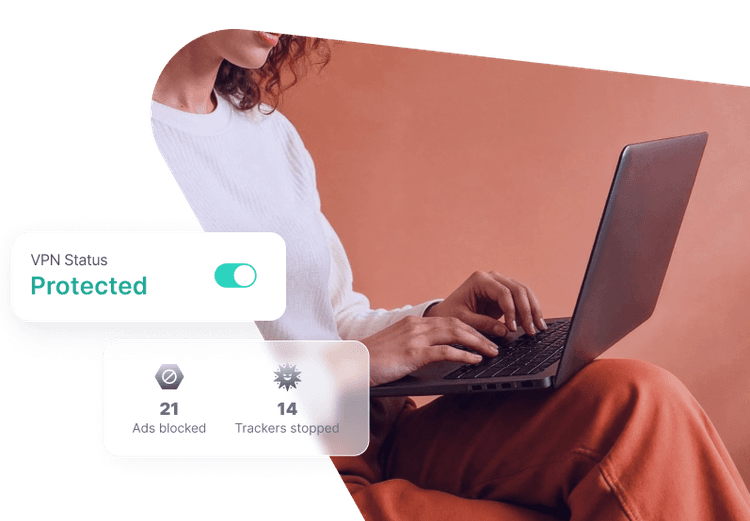
Proton VPN

“A VPN sees everything you do, so I only recommend ones whose no-logs promise can be checked. Proton is my pick because Swiss law, independent audits, and open-source code back it up — and the Plus plan adds Secure Core multi-hop and NetShield, which is what you actually want if privacy is the point.”
— Jay Dabhi, Cybersecurity Analyst & Co-Founder
- Verifiable no-logs — Swiss jurisdiction, audited, open-source
- Encrypts public Wi-Fi and hides your IP from sites
- NetShield blocks trackers and malware domains
- Honest free plan to start with, Plus when you want more
Affiliate link · we may earn a commission at no extra cost to you.
2. Give every account a unique password — in a manager
The single biggest cause of account takeovers is password reuse. One breached site hands attackers a password they'll try everywhere else. A password manager generates and stores a strong, unique password for every account, so a breach of one never cascades.
You only have to remember one master password, and the best manager is simply the one you'll actually use. Not sure how strong your current passwords are? Run one through our free password strength checker.
3. Turn on two-factor authentication (2FA)
Even a stolen password is useless if the attacker can't pass the second step. Turn on 2FA everywhere it's offered — especially email, banking, and social accounts. An authenticator app is stronger than SMS codes, which can be intercepted via SIM-swap attacks. CISA considers MFA one of the most effective single defenses you can enable.
4. Shrink your exposure — remove data and monitor your identity
Here's the privacy gap most people miss: even if you're careful, data brokers have already compiled and sold profiles of you built from public records, purchases, and app data. That's what fuels spam, robocalls, and — when it lands in the wrong hands — identity theft.
You can opt out of brokers one by one — every broker is legally required to offer it — but there are hundreds of them, the forms are deliberately tedious, and they re-add you within months. Doing it by hand is a permanent part-time job.
Two different jobs, often confused. It's worth separating them before you pay for anything:
- Removal takes your record off the broker sites, which is what actually reduces spam, robocalls and the raw material for identity theft.
- Monitoring watches your credit and the dark web and tells you when something has already gone wrong.
Neither replaces the other. Removal shrinks the target; monitoring catches what still gets through.
For removal, Optery is a purpose-built option — it scans hundreds of people-search sites, files the opt-outs for you, and re-scans monthly to catch relistings, with before-and-after screenshots as proof. It has a genuinely free tier that shows you which brokers are listing you before you pay anything, which makes it a cheap way to see how exposed you actually are. We haven't completed hands-on testing of Optery yet, so we're describing what it does rather than ranking it against the alternatives — we'll update this once we have.
DeleteMe is the main alternative and works differently: staff file the removals rather than automation alone, and there's no free tier. It's also cheaper than Optery once you compare equivalent tiers rather than entry prices — we break that down in DeleteMe vs Optery.
For monitoring, Aura covers credit and dark web alongside the device-security tools from the earlier steps:
Want full protection beyond link checks? Aura monitors threats, blocks phishing & protects your identity — all in one app. Save up to 63% today.
Get Aura →If you want to understand that whole category before choosing, see our best identity theft protection services guide.
5. Block trackers and ads
Most websites are stuffed with third-party trackers that follow you across the web to build an advertising profile. A tracker-blocking browser extension (or a VPN with built-in blocking, like Proton's NetShield) cuts a huge amount of this invisible data collection — and pages load faster as a bonus.
Also worth doing: use a privacy-respecting browser, and periodically clear cookies for sites you don't stay logged into.
6. Learn to spot phishing before you click
No tool protects you if you hand your credentials to a convincing fake. Phishing — via email, text, and DMs — is still the number-one way accounts get compromised. Learn the tells: urgency, mismatched sender addresses, and links that don't go where they claim.
When you're unsure, don't guess — scan the link first. Our free link safety checker inspects a URL against threat databases and reputation signals before you visit it. And if you want to know whether your data has already leaked, run your address through our email breach checker.
7. Encrypt your most sensitive communication
For the data that matters most — sensitive emails, documents, private notes — end-to-end encrypted services keep even the provider from reading them. The same Proton ecosystem behind our top VPN pick also offers encrypted email, storage, and a password manager, all under Swiss privacy law, if you want to consolidate your privacy tools with one provider.
The bottom line
You don't need to do all seven at once. Start with the two that close the biggest gaps — a no-log VPN on public networks and a password manager with 2FA — then work down the list. Privacy in 2026 is layered: no single step makes you invisible, but together these keep advertisers, brokers, and attackers out of the parts of your life that actually matter.
Next steps: pick a no-log VPN, lock down your accounts, and — if you want your data actively removed and watched — compare the best identity theft protection services.
Sources & References
Frequently Asked Questions
How can I stay private online in 2026?
The most effective steps are layered: use a no-log VPN on untrusted networks, give every account a unique password stored in a password manager, turn on two-factor authentication, reduce your exposure by removing data from broker sites and monitoring your identity, block trackers, and stay alert to phishing. No single tool makes you private — but together these close most of the ways your data actually leaks.
Is a VPN enough to protect my privacy?
No. A VPN hides your traffic from your ISP and your IP address from websites, which is a real and important layer — especially on public Wi-Fi. But it can't stop phishing, malware, data breaches, or tracking once you log into accounts. Privacy comes from layering a VPN with strong passwords, two-factor authentication, tracker blocking, and identity monitoring.
What's the difference between privacy and security online?
Security is about keeping attackers out — antivirus, strong passwords, patched software. Privacy is about controlling who can see and collect your data — advertisers, data brokers, ISPs, and governments. They overlap heavily, which is why the best tools cover both: a VPN is a privacy tool, identity monitoring bridges both, and a password manager is squarely security.
How do I stop companies from selling my personal data?
Data brokers compile and sell profiles built from public records, purchases, and app data. You can opt out of each broker manually, but there are hundreds, so many people use an identity protection service that automates removal requests and keeps re-submitting them, since brokers often re-add you. Pair that with minimizing what you share and using privacy-respecting services.