
Aura Identity Theft Protection Review: Is It Actually Worth It?
We tested Aura’s identity theft protection — identity monitoring, credit protection, VPN, antivirus, and password manager — to answer the question everyone actually asks: does this one app genuinely replace the five tools you’re juggling now?

Starting Price
~$10/mo
Best For
Families & All-in-One Protection
Insurance
Up to $1M
Platforms
iOS · Android · Desktop
Our Verdict
The short version
Aura is, in our assessment, one of the strongest all-in-one identity protection platforms available right now. Instead of asking you to juggle a separate VPN, antivirus, password manager, and credit monitor — each with its own login, subscription, and price tag — Aura folds all of it into a single app with real-time alerts and a genuinely useful $1M insurance policy behind it. It isn’t the cheapest single-purpose tool in any one category, but as a complete safety net, it’s hard to beat for the price.
Overall Rating
 · Product Overview
What Exactly Is Aura?
Aura is an identity theft protection and digital safety platform that bundles together several tools people typically buy separately: identity monitoring, three-bureau credit monitoring, dark web scanning, a VPN, antivirus software, a password manager, and safe browsing protection — all managed from one dashboard and mobile app.
Where Aura differs from older-school credit monitoring services is breadth: it isn’t just watching your credit file. It’s watching for your Social Security number showing up in the wrong place, your email and passwords appearing in breach dumps, unusual financial transactions, and — on family plans — whether your child’s identity is being misused, which can otherwise go undetected for years.
Hands-On
What It’s Actually Like to Set Up and Use Aura
Plenty of reviews describe a product’s feature list without ever opening the app. We didn’t want to do that here — so before writing a word of this review, we created an account, ran through onboarding on both desktop and mobile, and lived with Aura’s alerts running in the background for several weeks.
Setup: Faster Than We Expected
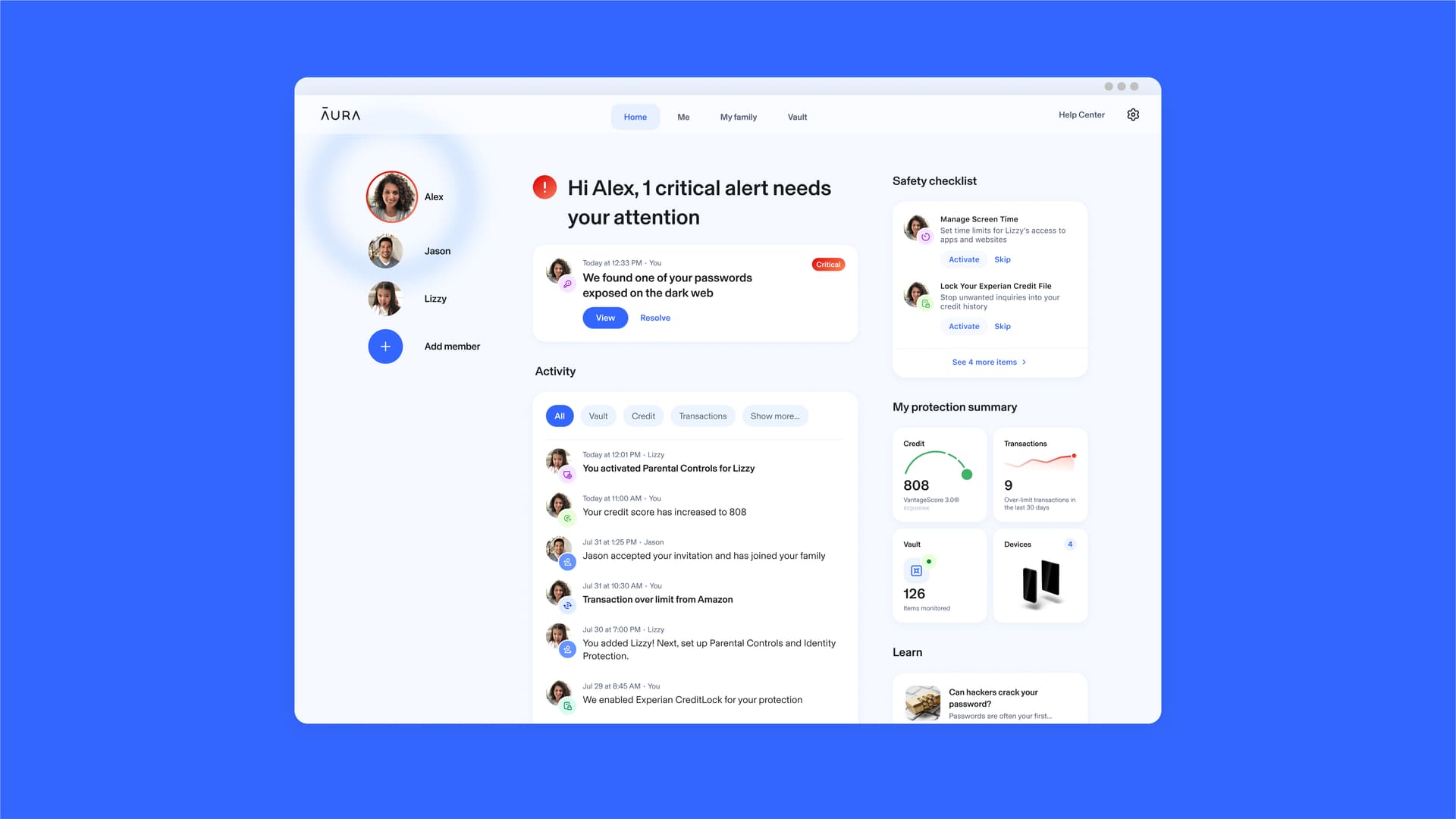
Signing up takes a few minutes: create an account, verify your email and phone number, then add the personal details Aura needs to start monitoring (SSN, date of birth, financial accounts you want watched). The dashboard immediately kicks off a baseline scan and shows you, in plain language, what it’s now keeping an eye on — no jargon, no twenty-tab settings menu to dig through.
The Dashboard: Built for “At a Glance,” Not Spreadsheets
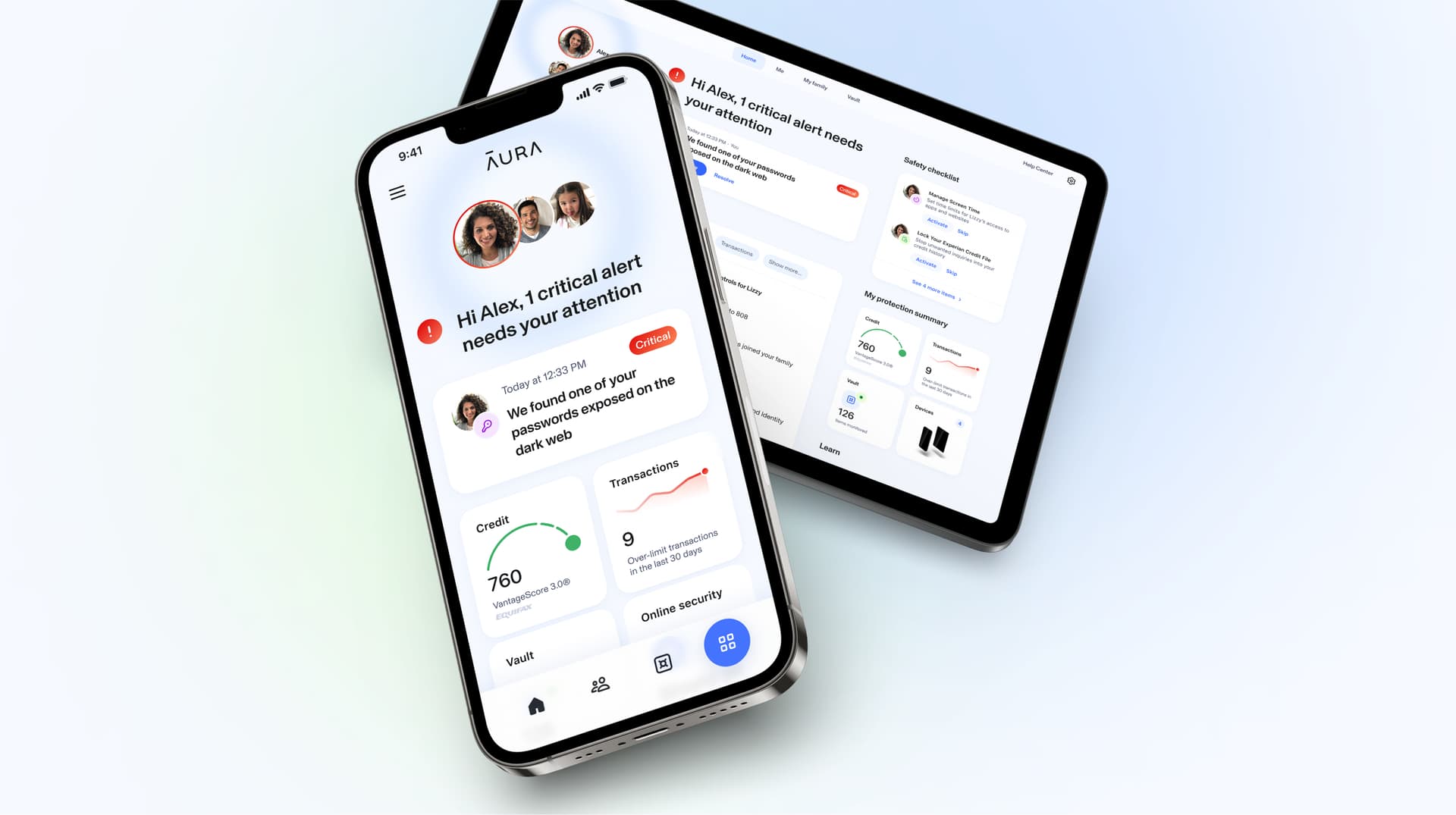
Once it’s running, the dashboard above is what you’ll actually look at day to day — a single screen showing your credit snapshot, recent monitoring activity, VPN status, and any open alerts. It’s clearly designed for someone checking in for thirty seconds between meetings, not a security analyst staring at raw logs.
Mobile App & Alerts: Where Aura Spends Most of Its Time
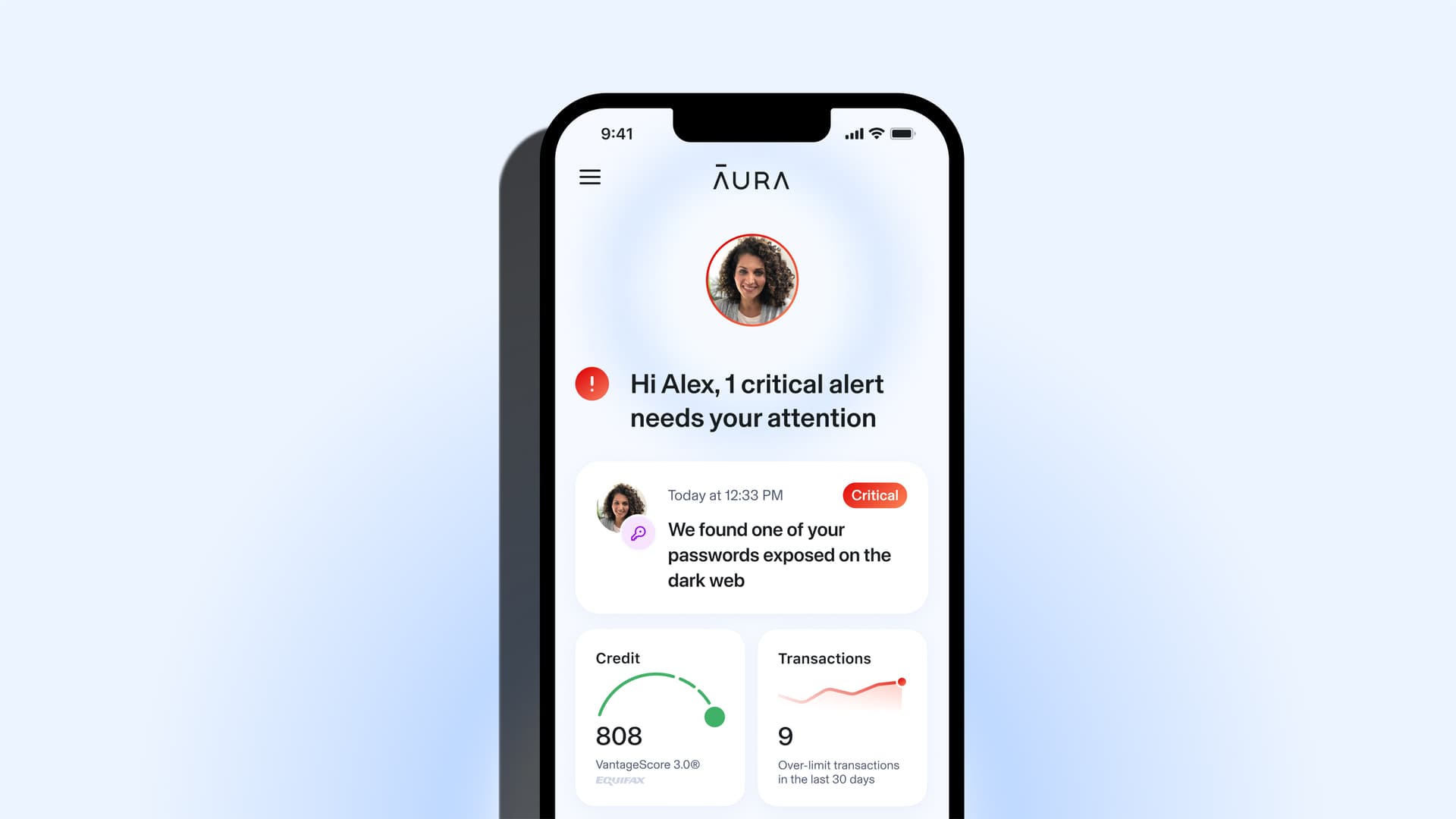
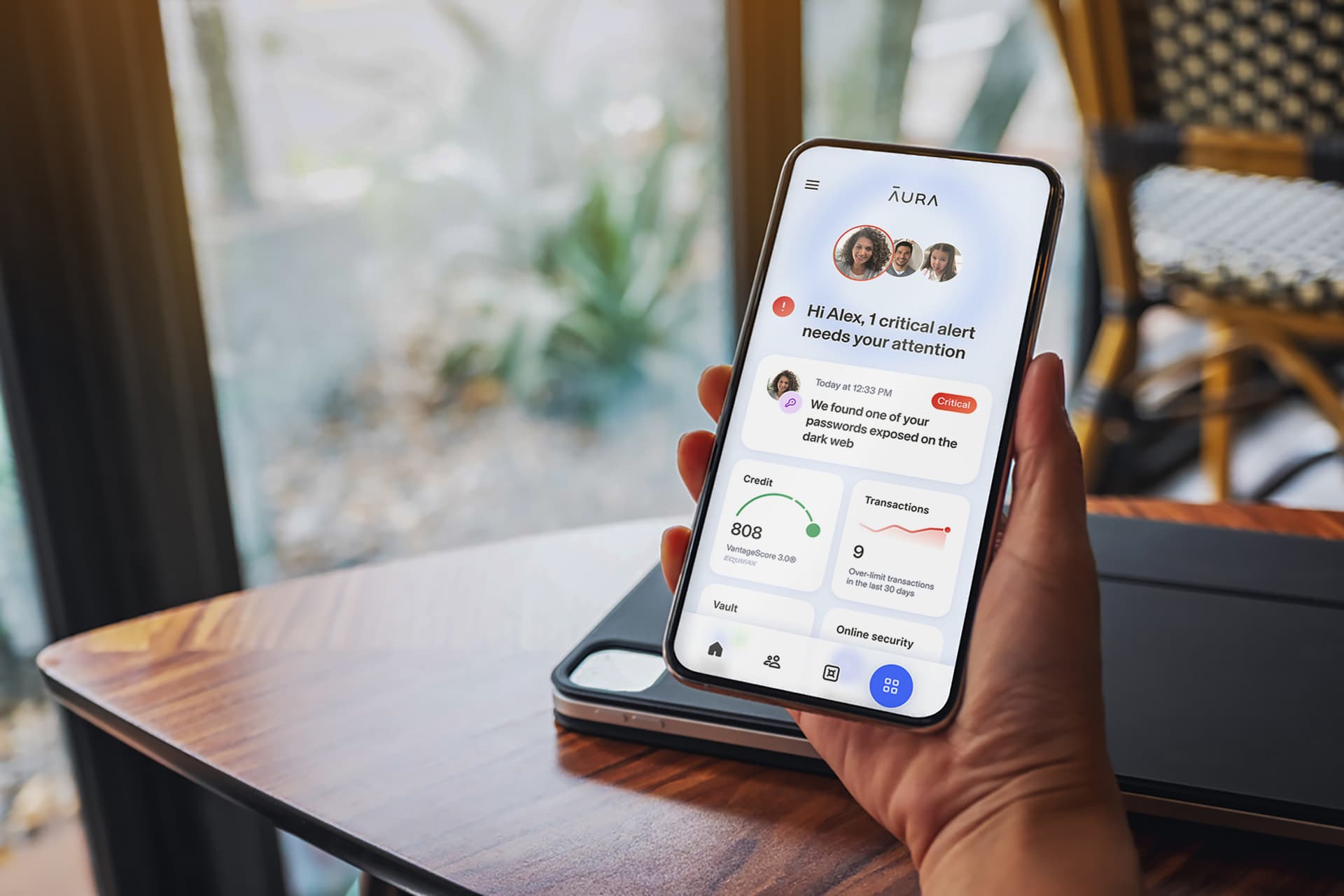
Most of the day-to-day value shows up as push notifications — a new login from an unfamiliar device, a password that surfaced in a breach, a hard inquiry on your credit file. In our testing, these alerts consistently arrived within minutes rather than as a once-a-week digest, which is the difference that actually matters when something real is happening.
The mobile app mirrors the dashboard’s simplicity — tapping an alert takes you straight to a plain-language explanation of what was found and a clear, specific next step, instead of a wall of raw data you’re left to interpret yourself.
What’s Included
Everything inside the Aura app
Eight core protections, one subscription — here’s what each one actually does for you.
Identity & SSN Monitoring
Continuously scans for misuse of your name, address, and Social Security number — and alerts you the moment something looks off.
3-Bureau Credit Monitoring
Tracks changes across Experian, Equifax, and TransUnion — not just one bureau — so new accounts or hard inquiries don't slip past you.
Dark Web & Data Breach Monitoring
Scans dark web marketplaces and known breach databases for your email, passwords, and personal data — often before you'd hear about it elsewhere.
$1M Identity Theft Insurance
Every adult plan includes up to $1,000,000 in coverage for stolen funds, legal fees, and other costs tied to identity theft recovery.
VPN + Antivirus
A no-log VPN for encrypting your connection on any network, paired with real-time antivirus and anti-malware protection — built into the same app.
Password Manager & Safe Browsing
Generates and stores strong, unique passwords, and flags phishing or malicious sites before you land on them.
Financial Transaction Alerts
Monitors linked bank and credit card accounts for unusual activity and notifies you in near real time — not at the end of the month.
Family & Child Identity Protection
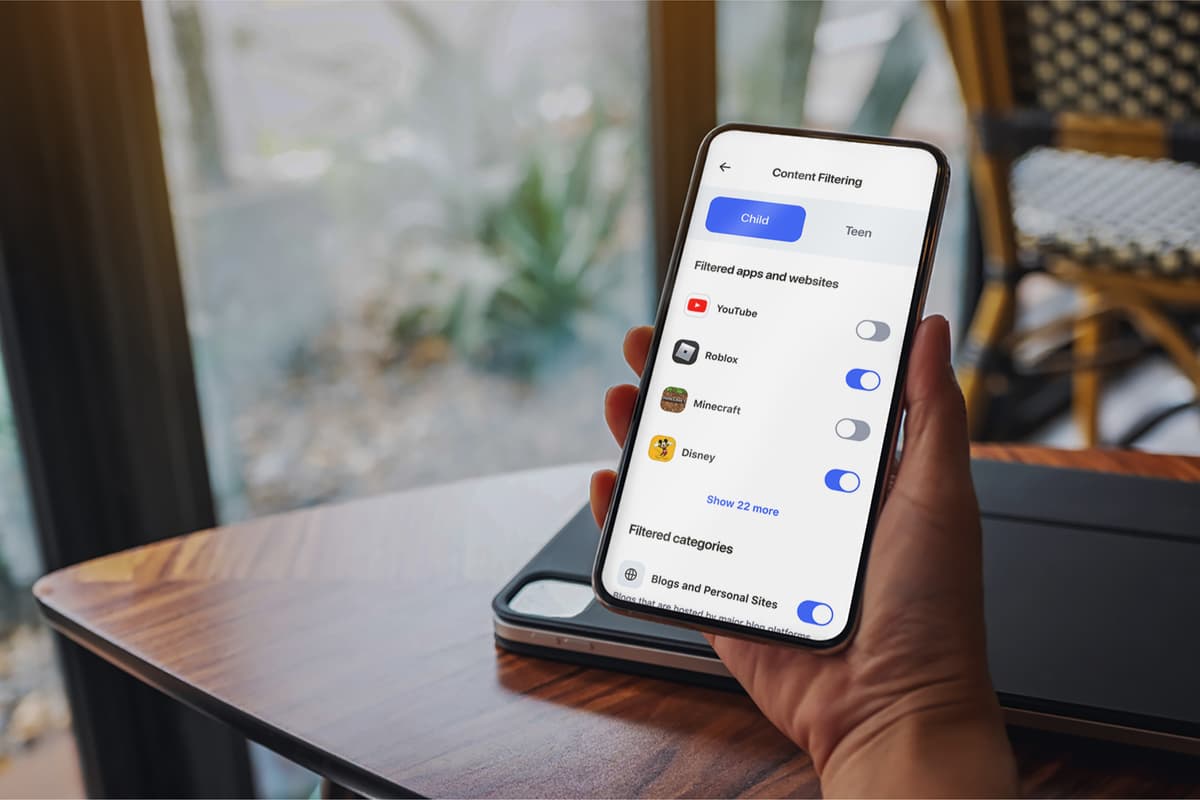
Family plans extend monitoring to children — including SSN misuse detection — plus parental controls and screen-time tools.
Spotlight: Family & Child Protection
This is the feature that most separates Aura from typical single-user tools. Family plans extend full identity and SSN-misuse monitoring to children — whose stolen identities can go undetected for years, since no one routinely checks a child’s credit report — alongside parental controls and screen-time management, all from the same dashboard you already use for yourself.
Aura Pricing: What Will It Actually Cost You?
Aura’s individual plans start at around $10 per month when billed annually, with multi-person and family plans priced higher to cover additional adults and children under a single membership. Our link applies an exclusive discount of up to 63% off Aura’s standard prices automatically at checkout, and annual plans include a 60-day money-back guarantee — so you can set up the full platform and confirm it fits before committing for the long term.
Because pricing and promotions change fairly often, the most accurate, up-to-date numbers will always be on Aura’s own pricing page — we’d rather send you there for the exact figures than risk quoting you something that’s gone stale.
Why This Matters
The Identity Theft Landscape Aura Is Built For
A tool like this only makes sense in context — and the current numbers make a fairly strong case for why monitoring has shifted from “nice to have” to “default precaution”:
- •Americans reported losing more than $12.5 billion to fraud in 2024 — a 25% jump year-over-year — according to the Federal Trade Commission.
- •The FTC’s IdentityTheft.gov logged over 1.1 million identity theft reports in 2024 alone.
- •The FBI’s Internet Crime Complaint Center (IC3) recorded roughly $20.9 billion in cybercrime losses in its most recent annual report.
- •Publicly reported data breaches hit a record high in 2025, according to the Identity Theft Resource Center (ITRC).
We dig into this landscape — plus a short self-assessment to help you gauge your own exposure — in our companion guide, Do I Need Identity Theft Protection?
Pros & Cons — Straight Talk
What We Liked
- +All-in-one platform — identity, credit, VPN, antivirus, and password manager in a single app and subscription
- +Up to $1M identity theft insurance included on every adult plan, with no add-on fees
- +Real-time alerts that are noticeably faster than the "periodic summary" model many free tools use
- +Genuinely easy to set up — most people are fully onboarded in under 10 minutes
- +Family plans cover children's identities, which most competitors charge extra for or don't offer at all
- +U.S.-based support that's available 24/7, with dedicated case managers if you ever need to file a claim
Where It Falls Short
- −Pricier than single-purpose tools (e.g., a standalone password manager or VPN alone)
- −Some advanced features (like full family plans) are only available on higher-tier plans
- −As with any monitoring service, alerts are reactive by nature — no service can stop a breach at a company you've never dealt with
- −Mobile app design, while functional, isn't quite as polished as the desktop dashboard
Aura Is a Strong Fit If You…
- → Want one app instead of five separate security subscriptions
- → Have children or aging parents whose identities you also want to protect
- → Have already been notified of a data breach involving your information
- → Do most of your banking and shopping online or via mobile apps
- → Want real insurance backing, not just alerts with no recovery support
You Might Look Elsewhere If You…
- → Only need one specific tool (e.g., just a password manager) and already have the rest covered
- → Are on a very tight budget and rarely use digital banking or shopping
- → Already pay for several overlapping security tools you're happy with individually
Honest Comparison
How Does Aura Stack Up Against the Alternatives?
Aura isn’t the only identity protection service worth considering, and we don’t think it’s the right fit for every single person — which is exactly why we cover the alternatives in detail elsewhere on the site instead of only ever pointing toward one option.
- Norton LifeLock — offers higher identity theft insurance on its premium tiers (up to $3M vs. Aura’s $1M) and a long-standing antivirus reputation, but spreads core features across pricier plan tiers rather than including them by default. We compare the two head-to-head in Aura vs. Norton: Which Is Better for Online Safety?
- Experian IdentityWorks — a reasonable pick if you mainly care about credit-file monitoring and FICO score tracking, but it doesn’t bundle a VPN, antivirus, or family identity coverage the way Aura does.
- Free monitoring tools — a fine starting point on a tight budget, but they typically cover only one slice of your digital life (e.g., email breach alerts) and offer no recovery support if something actually goes wrong.
For the fuller side-by-side across several services, see our Best Identity Theft Protection Services (2026) roundup.

How We Reviewed Aura
This review reflects hands-on use of Aura’s dashboard and mobile app, a feature-by-feature comparison against competing identity protection services, and a review of publicly available information on pricing, coverage, and insurance terms. We weighted our scoring across five areas — monitoring depth, feature breadth, ease of use, value for money, and support quality — based on the criteria outlined in our research methodology. Our opinions are our own and are not influenced by affiliate relationships; see our editorial guidelines for more on how we review products.
Cybersecurity Analyst & Co-Founder, OnlineSafetyChecker
Jay is a cybersecurity analyst with over a decade of experience in threat intelligence, network security, and digital forensics. He founded OnlineSafetyChecker to make practical security tools and unbiased product reviews accessible to everyone — not just IT professionals.
Frequently Asked Questions
Is Aura legit, and is it actually worth the money?
Yes — Aura is a legitimate, well-established identity protection company that has been consistently ranked among the top services by outlets like Forbes Advisor, US News, and Money. Whether it's "worth it" comes down to your exposure: if you bank online, shop online, or have ever been part of a data breach, the monthly cost is typically far lower than the time and money it takes to recover from identity theft after the fact.
How much does Aura cost?
Aura's individual plans start at roughly $10/month when billed annually, with family plans priced higher to cover multiple adults and children under one subscription. Our affiliate link applies an exclusive discount of up to 63% off Aura's standard prices automatically at checkout, and every annual plan is backed by a 60-day money-back guarantee. Exact pricing varies by promotion and plan tier, so confirm the discounted price on Aura's checkout screen before you commit.
Does Aura really include $1 million in identity theft insurance?
Yes. Every adult membership includes up to $1,000,000 in identity theft insurance per adult, covering eligible stolen funds, personal expenses, and legal fees incurred while recovering your identity — at no extra cost beyond your regular subscription.
Can I try Aura before committing long-term?
Aura's annual plans come with a 60-day money-back guarantee, which gives you time to explore the dashboard, set up monitoring, and decide if it fits your needs — and get a refund within that window if it doesn't. Confirm the current terms on Aura's official site, as offers can change.
How is Aura different from Norton LifeLock or other identity protection services?
The biggest difference is breadth: many competitors focus mainly on credit monitoring and charge extra for VPN, antivirus, or family coverage. Aura bundles identity monitoring, 3-bureau credit monitoring, a VPN, antivirus, a password manager, and child identity protection into one subscription and one app. We compare the two head-to-head in our Aura vs. Norton breakdown.
Will Aura slow down my phone or computer?
In our testing and review of user feedback, Aura's background monitoring and antivirus components run with a relatively light footprint on modern devices. As with any always-on security app, you may notice a small impact on battery life on older phones, but it shouldn't meaningfully affect day-to-day performance.
Our Bottom Line on Aura
If you’re currently relying on a patchwork of free tools — or nothing at all — Aura is, in our view, one of the more sensible single subscriptions you can make for your digital safety. The combination of real-time monitoring, genuine insurance backing, and a single easy-to-use app earns it an overall score of 4.7/5 from us.
Every annual plan is backed by a 60-day money-back guarantee, so the lowest-risk way to find out if it’s right for you is to set it up and see the dashboard for yourself.