Has My Personal Information Been Leaked? How to Check and What to Do Next

Has My Personal Information Been Leaked? How to Check and What to Do Next
Most people assume they would know immediately if their personal information was exposed online.
Unfortunately, that's rarely the case.
In many situations, stolen information circulates for weeks, months, or even years before victims discover anything is wrong.
If you're wondering:
"Has my personal information been leaked?"
You're asking an important question—and one that more people should ask before problems appear.
What Does It Mean When Personal Information Is Leaked?
A data leak occurs when information becomes accessible to unauthorized individuals.
This can happen through:
- Data breaches
- Phishing attacks
- Malware infections
- Stolen devices
- Insider threats
- Misconfigured databases
Once exposed, information may be shared, sold, or used for fraud.
What Information Is Most Commonly Leaked?
Attackers often target:
| Information | Risk Level |
|---|---|
| Email Address | Medium |
| Phone Number | Medium |
| Passwords | High |
| Home Address | High |
| Date of Birth | High |
| Credit Card Information | Critical |
| Government ID Numbers | Critical |
The more pieces of information attackers obtain, the easier it becomes to impersonate you.
7 Signs Your Personal Information May Have Been Leaked
1. You Receive Breach Notification Emails
Companies are increasingly required to notify users after discovering a breach.
If you've received messages saying:
- "Your information may have been exposed"
- "Reset your password immediately"
take them seriously.
2. You're Getting More Spam Than Usual
A sudden increase in:
- Spam emails
- Robocalls
- Scam text messages
may indicate your information is circulating among attackers.
3. Password Reset Emails You Didn't Request
Receiving password reset notifications for accounts you didn't access is often a warning sign.
This may indicate someone is attempting to gain access to your accounts.
4. Unknown Logins or Devices
Check account security logs whenever possible.
Watch for:
- New devices
- Unfamiliar locations
- Login attempts you don't recognize
5. Strange Financial Activity
Unexpected:
- Transactions
- Charges
- Account changes
should be investigated immediately.
6. Friends Receive Suspicious Messages From You
Compromised email or social media accounts are often used to target contacts.
If friends report unusual messages coming from your account, investigate quickly.
7. Your Information Appears Online
Attackers frequently publish or sell stolen information on forums and underground marketplaces.
Many victims never know their information is available until it is actively misused.
What Happens After Your Information Is Leaked?
The consequences depend on the type of information exposed.
Potential outcomes include:
Account Takeovers
Attackers attempt to access:
- Email accounts
- Banking accounts
- Social media profiles
Identity Theft
Criminals may attempt to:
- Open accounts
- Apply for services
- Impersonate victims
using stolen information.

 Recommended
Award-Winning Online Safety — All in One Place
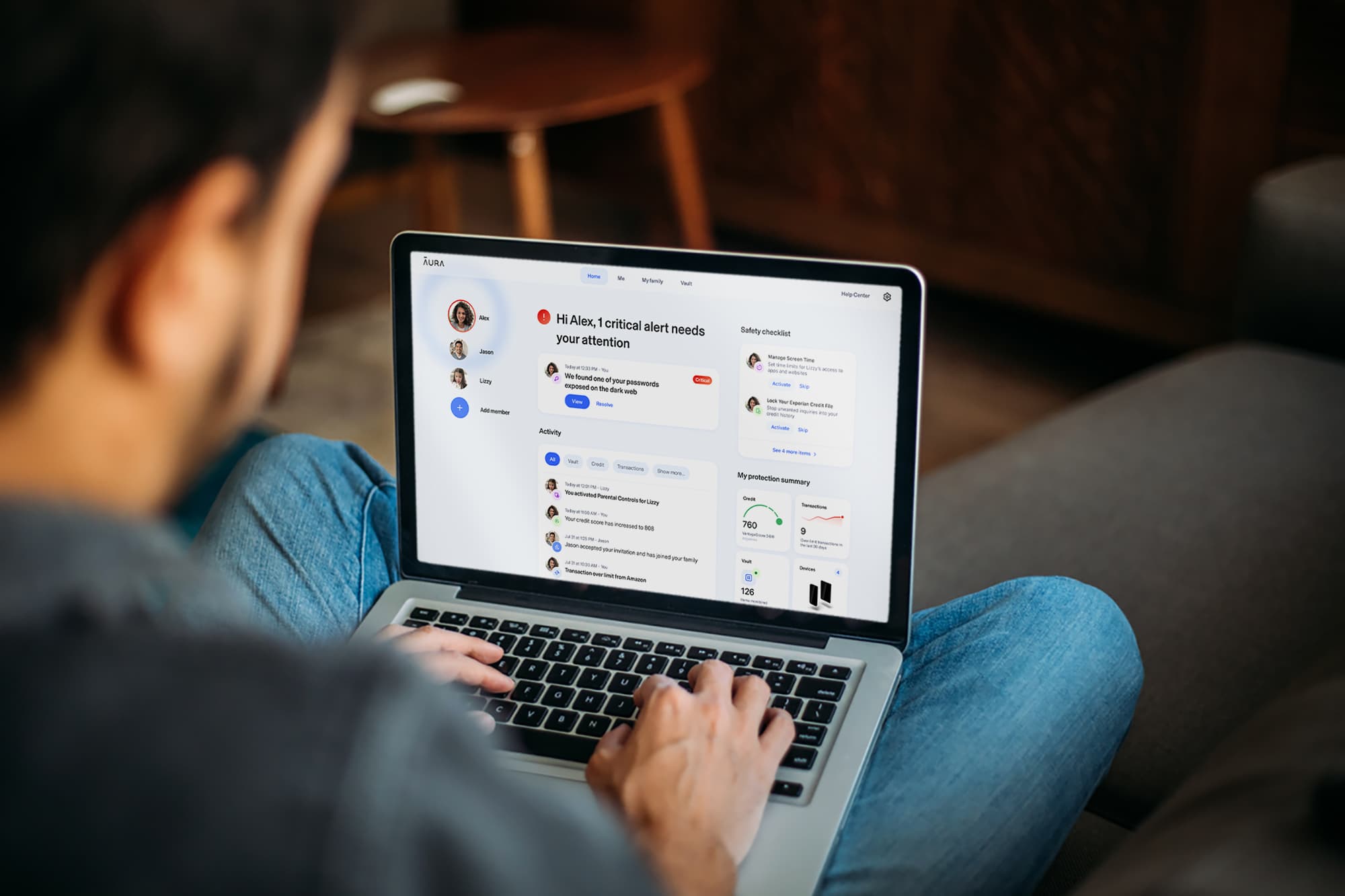
Aura brings together everything you need to stay safe online — identity monitoring, credit protection, VPN, antivirus, and a password manager — in a single, easy-to-use platform. Ranked best in class by Forbes Advisor, US News, and Money.
$1M
Identity Insurance per adult
3
Credit bureaus monitored
4.6★
Trustpilot rating
24/7
U.S.-based expert support
* Affiliate link. We may earn a commission at no extra cost to you.
Targeted Phishing
Leaked information helps attackers craft highly convincing phishing attacks.
Financial Fraud
Financial information can be used for unauthorized purchases and account abuse.
How to Check If Your Information Has Been Exposed
Here are practical steps you can take:
Check Breach Notifications
Review messages from companies you use regularly.
Review Account Security Logs
Look for:
- Unknown devices
- Unexpected sessions
- Login alerts
Monitor Financial Accounts
Regularly review:
- Bank accounts
- Credit card statements
- Financial notifications
Watch for Unusual Activity
Be alert to:
- Password reset requests
- MFA prompts
- Login attempts
that you did not initiate.
What Should You Do If Your Information Was Leaked?
Step 1: Change Passwords Immediately
Start with:
- Email accounts
- Banking accounts
- Frequently used services
Use unique passwords for every account.
Step 2: Enable Multi-Factor Authentication
MFA adds another layer of protection even if attackers obtain your password.
Step 3: Monitor Important Accounts
Watch for:
- Login activity
- Account changes
- Financial transactions
Step 4: Stay Alert for Phishing Attempts
Attackers often follow breaches with targeted phishing campaigns.
Be especially cautious after receiving breach notifications.
Stay Protected With Continuous Monitoring
Most people discover data exposure only after damage occurs.
Continuous monitoring helps identify:
- Data breaches
- Identity theft risks
- Exposed personal information
- Suspicious account activity
Aura continuously monitors your digital footprint and alerts you when your information appears in breaches or other high-risk locations, helping you act before problems escalate.
Want full protection beyond link checks? Aura monitors threats, blocks phishing & protects your identity — all in one app. Save up to 63% today.
Get Aura →Final Verdict
If you've ever:
- Used online banking
- Shopped online
- Created social media accounts
- Stored personal information online
there is a reasonable chance some of your information has already been exposed at some point.
The important question isn't:
"Could my information be leaked?"
It's:
"Would I know if it was?"
Early awareness is often the difference between a minor inconvenience and a major identity theft incident.
Related Articles
- Do I Need Identity Theft Protection?
- How To Check If Someone Stole Your Identity
- What Happens After Identity Theft?
- Best Identity Theft Protection Services (2026)
- Aura Review (2026)
Sources & References
Frequently Asked Questions
How do I know if my personal information has been leaked?
Common signs include breach notifications, unexpected password reset emails, unauthorized account activity, spam calls, phishing emails, and alerts from monitoring services.
What information is usually exposed in a data breach?
Data breaches may expose email addresses, passwords, phone numbers, names, physical addresses, dates of birth, and sometimes financial information.
Can someone steal my identity with just my email address?
An email address alone is usually not enough, but it can be combined with other leaked information to launch phishing attacks or attempt account takeovers.
What should I do if my information was leaked?
Change passwords immediately, enable multi-factor authentication, monitor accounts for suspicious activity, and consider identity monitoring services.
How often do data breaches happen?
Data breaches occur regularly and affect millions of individuals each year, making proactive monitoring increasingly important.