5 Best Parental Control Apps (2026, Ranked)

Editorial disclosure: We independently research, test, and rate the products we recommend using our own rating methodology. If you buy through our links, we may earn a commission — at no extra cost to you. Read our rating methodology and how we make money.
Keeping kids safe online is about more than screen time — it's content filtering, monitoring, location, and increasingly, protecting their identity. The best parental control app depends on whether you want deep monitoring, granular controls, or complete family protection in one place. Here are the 5 best parental control apps in 2026, ranked.
Aura
“Parental controls + child identity protection”
Aura's family plan pairs screen-time controls and content filtering with what dedicated apps skip — child SSN monitoring, credit monitoring, a VPN and antivirus — for up to 5 adults and unlimited kids on one account.
Child SSN monitoring · up to 5 adults + unlimited kids
Norton Family
“Solid web supervision, great value”
Web filtering, time limits and location tracking — and it's often bundled free with Norton 360 Deluxe. A cost-effective pick for parents who mainly want dependable supervision.
Good value · bundled with Norton 360
Google Family Link
“Free essentials for Android families”
With Apple Screen Time on iPhone, Family Link covers the basics for free — app approvals, screen-time schedules and content limits. No message scanning or identity protection, but a great starting point.
Free · app limits & schedules
Some links are affiliate links. We may earn a commission at no extra cost to you — it never affects our rankings.
Independently tested
We compared the top parental control and family safety apps
No pay-for-placement
Rankings are never sold
Reviewed by an expert
Jay Dabhi, Cybersecurity Analyst & Co-Founder
Updated August 2026
Prices & picks re-checked
The 5 best parental control apps at a glance
| # | App | Best for | Child identity protection | Price |
|---|---|---|---|---|
| 🥇 | Aura | All-in-one family safety | ✅ SSN monitoring | Paid |
| 🥈 | Bark | Monitoring & alerts | ❌ | Paid |
| 🥉 | Qustodio | Granular controls | ❌ | Freemium |
| 4 | Norton Family | Value web supervision | ❌ | Paid |
| 5 | Google Family Link | Free essentials | ❌ | Free |
How we ranked them
- Monitoring — apps, messages, social media, web activity
- Controls — screen-time limits, content filtering, app blocking
- Coverage — how many platforms (iOS, Android, desktop)
- Extra protection — location, and crucially, child identity monitoring
- Ease of use and value
Honest note: for the deepest single feature — content monitoring or screen-time granularity — a dedicated app can beat an all-in-one. This list rewards complete family safety, so a suite that also protects identity takes the top spot.
🥇 1. Aura — Best All-in-One Family Safety
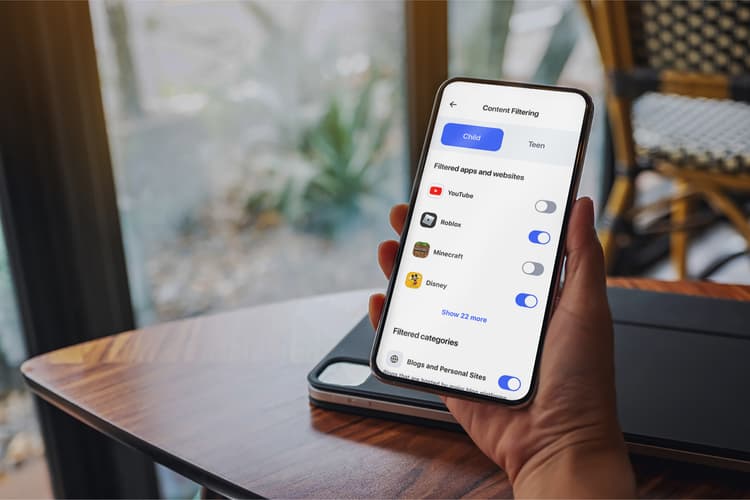
Aura's family plan pairs parental controls (screen-time management and content filtering) with the protection dedicated apps skip: child identity and SSN monitoring, credit monitoring for adults, a VPN, antivirus, and up to $1M insurance per adult — covering up to 5 adults and unlimited kids under one account.
Aura

“Most parental apps manage what kids do online — but not who they are. Kids are prime identity theft targets because nobody watches their credit. Aura is my pick because it guards behavior and identity together, for the whole family, under one login.”
— Jay Dabhi, Cybersecurity Analyst & Co-Founder
- Screen-time & content filtering plus child SSN monitoring
- Up to 5 adults + unlimited kids on one account
- VPN, antivirus & $1M insurance per adult included
- One dashboard instead of three separate subscriptions
Affiliate link · we may earn a commission at no extra cost to you.
How we rated Aura
Pros
- Parental controls plus child identity theft monitoring
- One account for the whole family; device security included
- Genuinely easy setup and dashboard
Cons
- Screen-time/monitoring controls aren't as granular as a specialist app
Best for: families who want online safety and identity protection in one place. See our Aura Family Plan review and best identity theft protection for families.

 Recommended
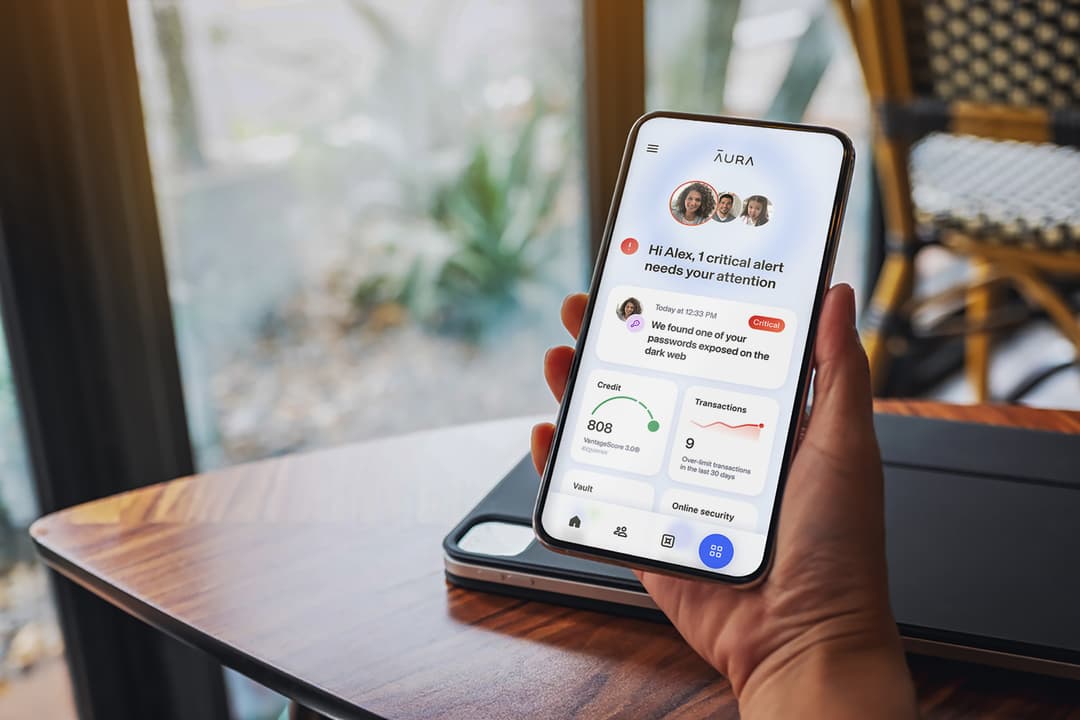
Identity Protection That Works While You Don’t Have To
Aura runs quietly in the background — monitoring your credit, scanning the dark web, and protecting your devices. If something changes, you’ll know instantly.
* Affiliate link. We may earn a commission at no extra cost to you.
🥈 2. Bark — Best for Monitoring & Alerts
Bark scans texts, email, and 30+ social and messaging apps, alerting parents to signs of bullying, predators, or self-harm rather than showing every message.
Pros: excellent content monitoring, smart alerts, respects some teen privacy. Cons: monitoring-first (lighter on hard controls); subscription per family.
Best for: parents most worried about social media and messaging risks.
🥉 3. Qustodio — Best for Granular Controls
Qustodio offers detailed screen-time rules, app-level limits, and web filtering across platforms.
Pros: granular controls, strong cross-platform support, clear reports. Cons: deeper features need the higher tier; no identity protection.
Best for: parents who want precise, per-app screen-time control.
4. Norton Family — Best Value Web Supervision
Norton Family focuses on web supervision, time limits, and location, often bundled with Norton 360 Deluxe.
Pros: solid web filtering and reporting, good value if you have Norton 360. Cons: weaker on iOS; monitoring less deep than Bark.
Best for: existing Norton users wanting basic supervision included.
5. Google Family Link — Best Free Option
Google Family Link (with Apple Screen Time on iPhone) covers the essentials for free: app approvals, screen-time schedules, and content limits on a child's device.
Pros: free, built-in, easy for Android/Chromebook families. Cons: no message/social scanning, limited cross-platform, no identity protection.
Best for: families wanting a free starting point.
What none of these apps cover: AI chatbot conversations
Every app on this list can tell you that your child opened ChatGPT or Character.AI, and most can block it outright. None of them can read what was said inside it. An AI conversation happens in one continuous app session — it fires no notification, writes no message record and loads no web page, so there's nothing for a monitoring app to scan.
That gap is widening: Common Sense Media's national survey found nearly 3 in 4 teens have used an AI companion, and 44% of kids say no parent has ever talked with them about using AI safely. For what each platform's own controls actually show a parent — and what genuinely works on Android versus iPhone — see our guide to AI chatbot parental controls.
The verdict
- Best all-in-one (safety + identity) → Aura
- Best monitoring & alerts → Bark
- Best granular controls → Qustodio
- Best value web supervision → Norton Family
- Best free option → Google Family Link
Parental controls manage what kids do online — but they rarely protect who your child is. Kids are prime identity theft targets precisely because no one's watching their credit. For families who want to cover both, an all-in-one like Aura is the best choice. Still weighing protection for the whole household? See the 7 best identity theft protection services.
Sources & References
Frequently Asked Questions
What is the best parental control app in 2026?
For families who want parental controls plus identity and device protection in one plan, Aura is the best all-in-one choice — its family plan bundles screen-time controls and content filtering with credit monitoring, a VPN, antivirus, and up to $1M identity theft insurance per adult. If you want the deepest content monitoring specifically, Bark is excellent; for the most granular screen-time controls, Qustodio leads.
Do free parental controls work?
Free tools like Google Family Link and Apple Screen Time cover the basics well — app limits, screen-time schedules, and content restrictions on a child's device. They're a great starting point. Paid apps add deeper monitoring (social media and message scanning, alerts to concerning content) and cross-platform coverage that the free built-ins don't offer.
Do parental control apps protect kids from identity theft?
Most don't — they focus on screen time and content. But children are common identity theft targets because their clean credit goes unmonitored for years. That's the gap an all-in-one like Aura closes: it pairs parental controls with child identity and Social Security number monitoring, so you're protecting behavior and identity at once.
Can kids bypass parental control apps?
Determined teens can sometimes find workarounds, so no app is foolproof. The most effective approach combines a good app with open conversations about online safety and clear family rules. Choose a tool that's hard to uninstall without a parent's approval and that alerts you if protection is turned off.