Proton Pass vs 1Password (2026): Open-Source Privacy vs Polish

This is a comparison between two genuinely good password managers with different philosophies. Proton Pass is the open-source, privacy-first, better-value option. 1Password is the polished, mature, family-friendly one. Neither is a bad choice — but they're built for different priorities.
Head to head
| Proton Pass | 1Password | |
|---|---|---|
| Open-source | ✅ Yes, audited | ❌ Closed-source (audited) |
| Free plan | ✅ Yes | ❌ Trial only |
| Built-in email aliases | ✅ Native | ❌ No |
| End-to-end encryption | ✅ Yes | ✅ Yes |
| Passkey support | ✅ Yes | ✅ Yes |
| Price | Lower / bundled | Premium |
| Interface polish | Very good | Best-in-class |
| Family & business tools | Good | Excellent |
| Best for | Privacy + value | Polish + families |
Pricing and features change — confirm current details on each provider's own site.
Where Proton Pass wins
It's open-source; 1Password isn't. This is the headline difference. Proton Pass's apps are open-source and independently audited, so its zero-access encryption claim can be inspected rather than trusted. 1Password is audited too, but closed-source — you're trusting the auditor, not verifying the code. For privacy-focused users, that gap matters.
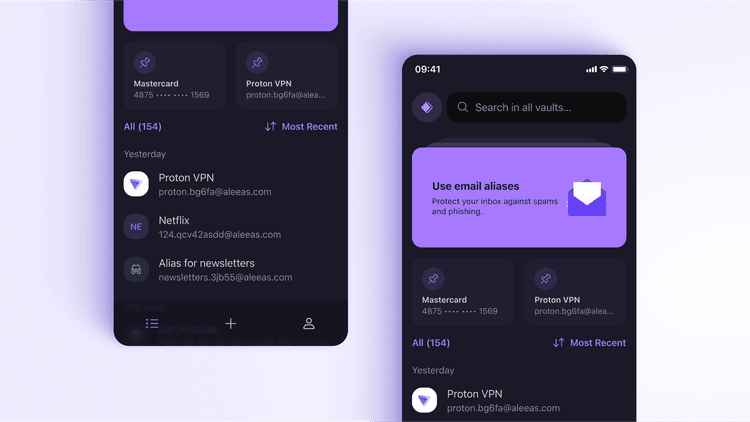
Built-in email aliases. Proton Pass generates a hide-my-email alias for each site so your real address never leaks; disable an alias the moment a site starts spamming. 1Password has no equivalent. This is the feature that makes Proton Pass a privacy tool rather than just a vault.
A real free plan, and a lower price. 1Password is trial-then-paid, with premium positioning. Proton Pass has a usable free tier, costs less on Plus, and bundles into Proton Unlimited alongside Mail, VPN and Drive.
Proton Pass

“1Password is beautifully made — I won't pretend otherwise. But it asks you to trust a closed-source app, and it can't hide your email address the way Proton Pass can. For anyone whose priority is privacy they can verify and value they can measure, Proton Pass is my pick, and it gives up less polish than you'd expect.”
— Jay Dabhi, Cybersecurity Analyst & Co-Founder
- Open-source & audited — verifiable, not just trusted
- Native email aliases 1Password doesn't offer
- A genuine free plan plus lower paid pricing
- Bundled with Proton Mail, VPN & Drive on Unlimited
Affiliate link · we may earn a commission at no extra cost to you.
Where 1Password wins
Polish. 1Password has the most refined apps in the category — the cleanest design, the smoothest autofill, the most thought-through details. If interface quality is what keeps you actually using a manager, it's the leader.
Families and business. 1Password's shared vaults, granular permissions, and admin tooling are more mature than most. For a family managing shared logins or a company onboarding staff, it's genuinely excellent.
Track record. It's been trusted for well over a decade, with extras like Watchtower breach monitoring and Travel Mode, and a huge, well-supported user base.
The trade-offs remain: closed-source, no permanent free plan, no built-in aliases, and premium pricing.
Which should you choose?
- You want privacy you can verify, plus email aliases and lower cost → Proton Pass.
- You want the most polished experience and best family tools → 1Password.
- You want a free plan at all → Proton Pass (1Password is trial-only).
- You're already deep in the Proton ecosystem → Proton Pass, bundled with the rest.
Both are strong. The decision comes down to whether you weight verifiable privacy and value (Proton Pass) or polish and family management (1Password) more highly. See the full field in our best password managers guide, or read our in-depth Proton Pass review for the deep dive.
Sources & References
Frequently Asked Questions
Is Proton Pass or 1Password better?
It depends on what you value. Proton Pass is open-source, has a free plan, includes built-in email aliases, and typically costs less — the pick for privacy and value. 1Password is more polished, with a longer track record and excellent family and business features, but it's closed-source and has no permanent free tier. For verifiable privacy and price, Proton Pass; for the smoothest experience and family management, 1Password.
Is Proton Pass a good 1Password alternative?
Yes, and a strong one — especially if open-source transparency, built-in email aliases, or a free plan matter to you, none of which 1Password offers. The main things you'd give up moving from 1Password are its extra polish and its most mature family and business tooling. For most individuals focused on privacy and value, Proton Pass covers the essentials well.
Is 1Password open-source?
No. 1Password is closed-source, so you're trusting its independent audits rather than being able to inspect the code yourself. Proton Pass is fully open-source and audited, which means its security and zero-access claims can be verified directly. For users who prioritize verifiable privacy, that's a meaningful difference.
Does 1Password have a free plan like Proton Pass?
No. 1Password offers only a free trial, after which it's paid-only. Proton Pass has a genuinely usable free plan, though its standout features like unlimited email aliases are reserved for Pass Plus. If a permanent free option matters, Proton Pass is the one that offers it.
Which is cheaper, Proton Pass or 1Password?
Proton Pass is generally the cheaper option, and it's also bundled into Proton's Unlimited plan alongside Mail, VPN and Drive for extra value. 1Password is priced as a premium standalone product. Confirm current pricing on each provider's own site, since both run promotions.