Common Password Mistakes People Still Make

Common Password Mistakes People Still Make
Despite years of security warnings, weak passwords remain one of the leading causes of account breaches. Attackers don’t need advanced hacking techniques when simple mistakes give them easy access.
Understanding the common password mistakes people still make is the first step toward protecting your online accounts.
Why Password Mistakes Are Still a Major Problem
Many breaches succeed not because systems are vulnerable, but because:
- Passwords are easy to guess
- Passwords are reused across multiple sites
- Leaked credentials are reused in automated attacks
Attackers take advantage of predictable human behavior.
Want full protection beyond link checks? Aura monitors threats, blocks phishing & protects your identity — all in one app. Save up to 63% today.
Get Aura →The Most Common Password Mistakes
1. Reusing the Same Password Everywhere
This is the most dangerous mistake.
If one website is breached and your password is leaked, attackers can use it to access:
- Email accounts
- Social media
- Banking and financial services
Password reuse turns a single breach into a full account takeover. To understand exactly how attackers exploit this, see our guide on how hackers steal passwords.
2. Using Short or Simple Passwords
Passwords like:
password123welcomeadmin123456
can be cracked in seconds using automated tools.
Short passwords provide very little protection against modern attacks.
3. Using Personal Information in Passwords
Passwords based on:
- Names
- Birthdays
- Phone numbers
- Favorite teams or pets
are easy to guess, especially when attackers can gather personal details from social media.
4. Making Small Variations of the Same Password
Many people try to be clever by using patterns such as:
Password1Password2Password2026
Attackers are well aware of these patterns and test them automatically.
5. Ignoring Multi-Factor Authentication (MFA)
Even strong passwords can be compromised.
Not enabling MFA means:
- A stolen password is enough to access your account
- There is no second layer of protection
MFA significantly reduces the risk of account takeover.
6. Trusting That “No One Would Target Me”
Attackers do not target individuals — they target credentials at scale.
Automated attacks don’t care who you are. If your password is weak or reused, your account is vulnerable.
7. Storing Passwords Insecurely
Common unsafe practices include:
- Writing passwords in notes apps
- Saving them in plain text files
- Sharing passwords over email or messages
These habits expose passwords unnecessarily.
Why These Mistakes Keep Happening
Password mistakes persist because:
- People prioritize convenience over security
- Remembering many passwords feels difficult
- Risks feel abstract until something goes wrong
Attackers rely on this behavior.
How to Fix These Password Mistakes
To improve your password security:
- Use a password manager to generate and store passwords
- Create long, unique passwords for every account
- Enable multi-factor authentication wherever possible
- Avoid using personal information
- Monitor for data breaches involving your email
Small changes dramatically reduce risk. Not sure where to start? Read our guide on what makes a password strong enough.
How to Check If Your Passwords Are at Risk
You should check whether:
- Your passwords have appeared in data breaches
- You’ve reused passwords across accounts
- Any accounts show unusual activity
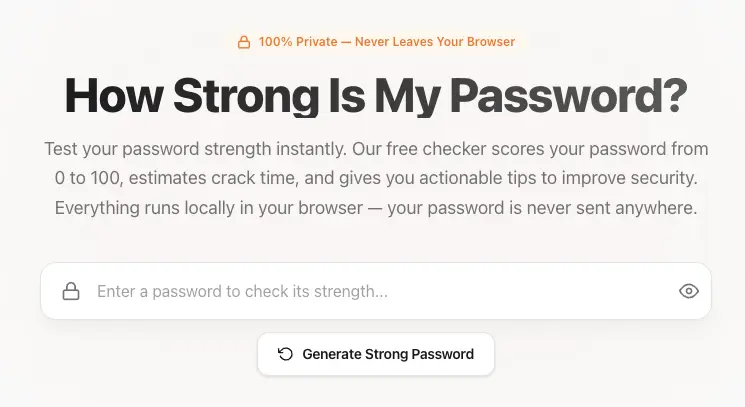
Using a Password Strength Checker can help identify weak passwords before attackers do.
Final Thoughts
Most account breaches don’t happen because of advanced hacking — they happen because of simple, repeated mistakes.
By avoiding these common password mistakes, you can dramatically improve your online security.
Before creating or reusing a password, always ask:
Am I making one of these mistakes again?
Fixing them now is far easier than recovering from a breach later.
Sources & References
Frequently Asked Questions
What are the most common password mistakes people make?
The most common password mistakes include reusing passwords across multiple sites, using short or simple passwords, relying on personal information, and not enabling multi-factor authentication.
Why is password reuse so dangerous?
Password reuse is dangerous because if one website is breached, attackers can use the same password to access your other accounts through automated login attempts.
Are long passwords really more secure?
Yes. Longer passwords are significantly harder to crack than short ones. Length provides more protection than adding symbols or numbers to short passwords.
Is changing passwords frequently still recommended?
No. Modern security guidance recommends changing passwords only if they are compromised, rather than forcing regular changes that often lead to weaker passwords.
How can I avoid making password mistakes?
You can avoid password mistakes by using a password manager, creating long and unique passwords for every account, enabling multi-factor authentication, and monitoring for data breaches.