How Hackers Steal Passwords

How Hackers Steal Passwords
Password theft is one of the most common and effective ways hackers gain access to online accounts. Despite improvements in security technology, attackers continue to succeed because many password theft techniques rely on tricking users, not breaking systems.
Understanding how hackers steal passwords is critical to protecting your accounts.
Why Password Theft Is So Effective
Hackers prefer stealing passwords because:
- Passwords unlock multiple accounts
- Many people reuse the same password
- Attacks can be automated at scale
- Users often don’t notice immediately
Once a password is stolen, attackers can move quickly to take over accounts.

Want full protection beyond link checks? Aura monitors threats, blocks phishing & protects your identity — all in one app. Save up to 63% today.
Get Aura →The Most Common Ways Hackers Steal Passwords
1. Phishing Attacks
Phishing is the number one method used to steal passwords.
Attackers send emails, messages, or links that:
- Impersonate trusted brands
- Claim account issues or security alerts
- Lead to fake login pages
When users enter their credentials, attackers capture them instantly. Learn to spot these attacks in our guide on how to identify phishing links.
2. Fake Websites and Login Pages
Hackers create websites that closely mimic real services, including:
- Identical logos and layouts
- HTTPS encryption
- Realistic domain names
Users believe they are logging in legitimately, but their passwords go directly to attackers. Learn how to spot a safe or fake website before entering credentials.
3. Malware and Keyloggers
Malware installed through:
- Malicious downloads
- Infected email attachments
- Fake software updates
can record keystrokes or capture saved passwords without the user’s knowledge.
4. Data Breaches
When websites are breached, databases containing usernames and passwords may be leaked or sold.
Even if passwords are hashed, weak or reused passwords can still be exploited. The hard part is that you usually have no idea your credentials leaked until they're already being used against you. You can check whether your email has appeared in a known data breach for free — it shows exactly which breaches exposed you and what data was leaked.
Has your email been in a data breach?
Check your email address against known data breaches in seconds. See which breaches exposed it and exactly what data was leaked — free, no sign-up required.
5. Credential Stuffing Attacks
In credential stuffing attacks, hackers:
- Use leaked passwords from one breach
- Automatically test them on other websites
Because many people reuse passwords, these attacks are highly successful.
6. Public Wi-Fi and Man-in-the-Middle Attacks
On unsecured networks, attackers may intercept traffic or redirect users to fake login pages, especially if users ignore browser warnings.
Can Hackers Steal Passwords Without You Clicking Anything?
Sometimes, yes.
If:
- A website you used is breached
- You reused a password elsewhere
your password may already be in attackers’ hands without any direct action on your part.
Why HTTPS and Lock Icons Don’t Stop Password Theft
HTTPS only encrypts data between your browser and the website.
It does not:
- Verify the website is legitimate
- Prevent phishing pages
- Stop users from entering passwords on fake sites
This is why many phishing pages still show a lock icon.
How to Protect Yourself From Password Theft
To reduce your risk significantly:
- Use long, unique passwords for every account — check if your password is strong enough
- Enable multi-factor authentication (MFA)
- Use a password manager
- Avoid clicking suspicious links
- Verify websites before entering passwords
- Monitor for data breaches involving your email
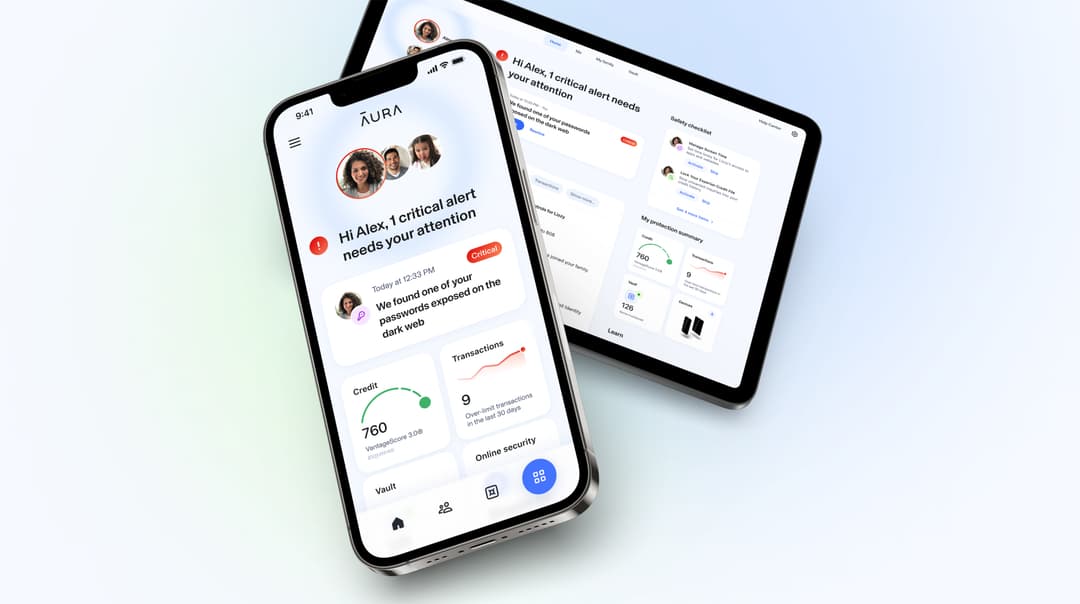
Each layer makes attackers’ jobs harder. But if your data is already part of a breach, you may not know until real damage is done — accounts opened in your name, credit pulled without your knowledge, or credentials sold on the dark web. Continuous identity monitoring catches threats you can’t see yourself.
 ·Award-Winning Online SafetyRecommended
The Smart, Simple Way To Stay Safe Online
All-in-one protection from identity theft, fraud, and online threats — includes $1M Identity Theft Insurance, credit monitoring, VPN, and antivirus.
Consistently ranked among the top identity protection services by Forbes Advisor, US News, and Money.
* Affiliate link. We may earn a commission at no extra cost to you.
What to Do If You Think Your Password Was Stolen
If you suspect a password has been compromised:
- Change it immediately
- Update other accounts using the same password
- Enable MFA
- Log out of all active sessions
- Monitor account activity
Quick action can prevent full account takeover.
Final Thoughts
Hackers don’t need sophisticated techniques to steal passwords — they rely on human trust, speed, and reuse.
By understanding how password theft works, you can avoid the most common traps.
Before entering your password anywhere, always ask:
Do I fully trust this site and this moment?
That pause alone can stop many attacks.
Sources & References
Frequently Asked Questions
How do hackers steal passwords?
Hackers steal passwords through phishing attacks, malware, fake websites, data breaches, keylogging, and credential stuffing attacks that reuse leaked passwords across multiple sites.
What is the most common way passwords are stolen?
Phishing is the most common method, where attackers trick users into entering passwords on fake websites or forms that impersonate legitimate services.
Can hackers steal passwords without hacking a website?
Yes. Hackers often steal passwords directly from users through phishing emails, malicious links, fake login pages, or malware, without ever hacking the legitimate website.
Does using HTTPS prevent password theft?
No. HTTPS encrypts data in transit but does not prevent phishing or fake websites from stealing passwords if users enter them voluntarily.
How can I protect my passwords from hackers?
You can protect your passwords by using long, unique passwords, enabling multi-factor authentication, using a password manager, avoiding suspicious links, and monitoring for data breaches.